Customer Awareness
Empowering our customers with the right knowledge for better financial decisions and secure banking.
RBI Financial Education Films
As part of the Reserve Bank of India's financial literacy initiative, we present these awareness videos to help you understand important banking concepts, responsible borrowing, and digital banking benefits.
Customer Awareness - Part 1
Customer Awareness - Part 2
Customer Awareness - Part 3
Customer Awareness - Part 4
Customer Awareness - Part 5
Customer Awareness - Part 6
Borrowing from Formal Institutions
Responsible Borrowing
Timely Repayment
Responsible Borrowing (Series)
Agricultural Finance
Financial Awareness Messages
Going Digital
Unified Payments Interface (UPI)
Do not staple Bank Notes
Understanding and Managing UPI Auto-Pay
UPI Auto-Pay allows you to automate recurring payments like subscriptions, EMI, or bills. However, it is crucial to monitor these mandates to avoid unwanted deductions. Here is how you can manage or revoke Auto-Pay mandates on popular apps.
Steps to Manage Auto-Pay on GPay:
- Open the Google Pay app on your device.
- Tap on your profile picture at the top right corner.
- Select "Autopay" from the menu options.
- You will see a list of active and pending mandates.
- Select the specific mandate you wish to manage.
- Tap on "Pause" or "Revoke" (Cancel) at the bottom to stop future deductions.
- Enter your UPI PIN to confirm the cancellation.
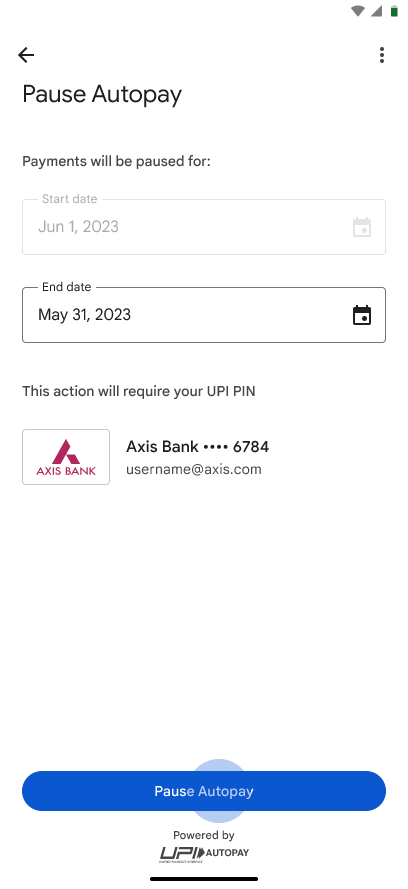
GPay Autopay Settings Screen
Steps to Manage Auto-Pay on PhonePe:
- Open the PhonePe app.
- Tap on your Profile icon at the top left corner.
- Scroll down to the "Payment Management" section and tap on "Autopay".
- Review the list of your active mandates.
- Select the mandate you want to remove.
- Scroll to the bottom and tap on the "Remove Autopay" button.
- Confirm by entering your UPI PIN.
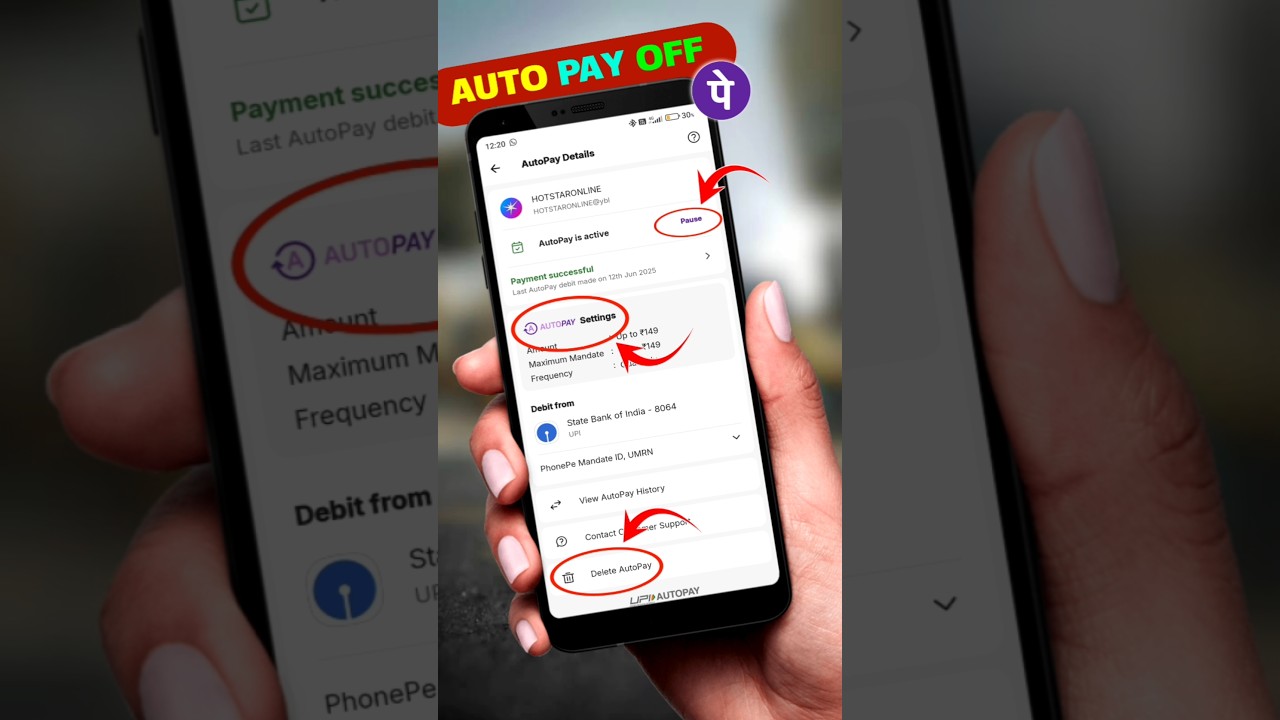
PhonePe Autopay Settings UI
Steps to Manage Auto-Pay on Paytm:
- Open the Paytm app and tap on your Profile icon (top left).
- Go to "UPI & Payment Settings".
- Scroll down and select "UPI Automatic Payments".
- Here you will see all active, paused, and completed mandates.
- Tap on the mandate you wish to cancel or pause.
- Select "Cancel Mandate" or "Pause" at the bottom of the details page.
- Authorize the cancellation with your UPI PIN.
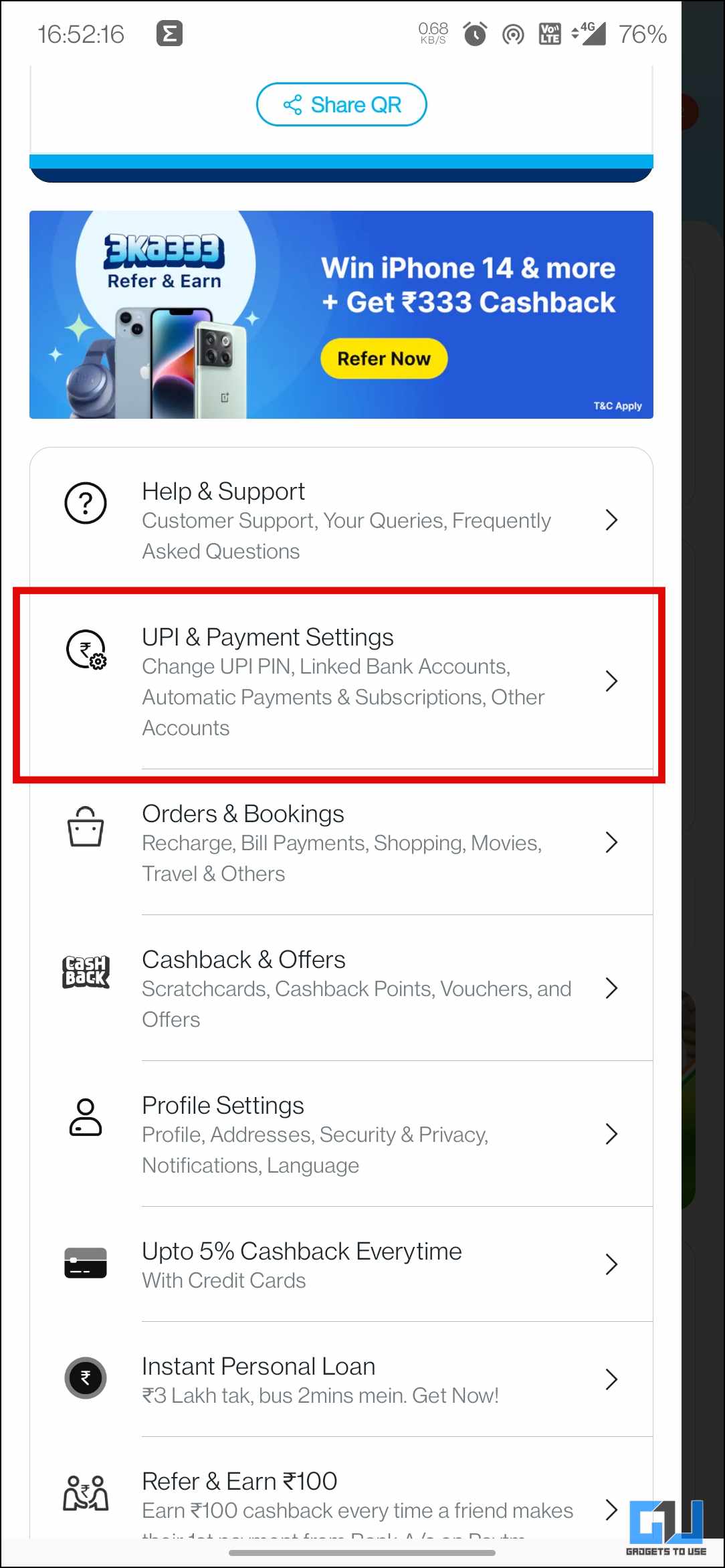
Paytm Autopay Dashboard
Need Further Assistance?
If you have any queries regarding our services or require guidance on safe banking practices, feel free to reach out.
Accessibility Options
Line Height
1x
Text Spacing
Normal